Can an interactive model make coupled engineering trade-offs easier to see?
A workbench for questions
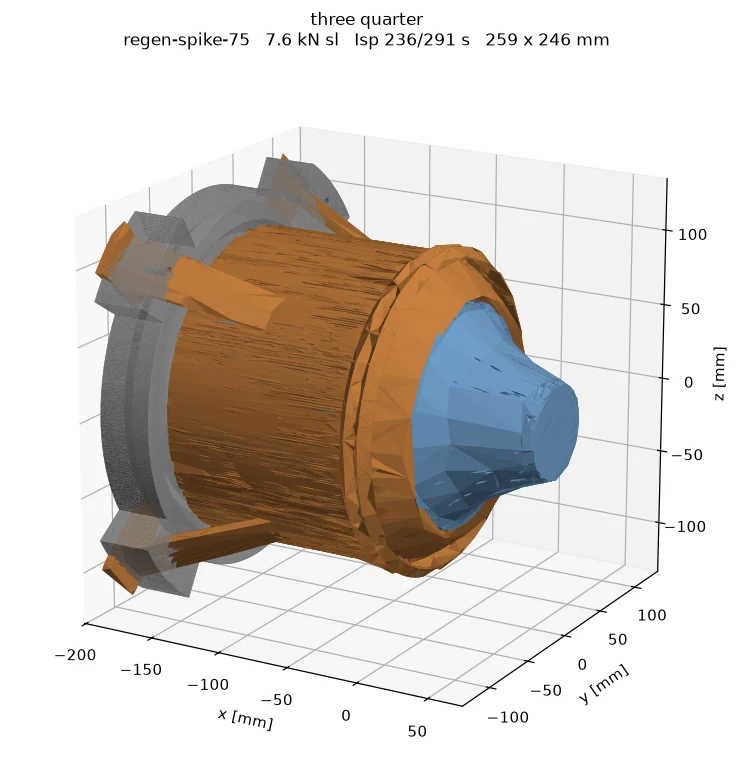
The simulator brings a parametric liquid rocket engine into the browser. Changing geometry and operating inputs updates a Three.js view alongside calculations from a Python backend. The aim is to make relationships between shape, flow and cooling visible.
It includes bell-nozzle geometry, variable wall thickness and regenerative cooling channels. Several visual modes expose different aspects of the same design, including thermal, stress and internal-flow views.
Connect the tools
FastAPI and WebSockets connect the interface to the numerical routines. An evolutionary optimisation component explores competing objectives, while STL export connects the model to a geometry file that can be inspected elsewhere.
The interesting part is the coupling: a geometry change can affect cooling, mass and performance at once. Putting those views in one interface makes it easier to explore the consequences of a choice rather than optimise a single number in isolation.
A simulation is a set of assumptions
The flow and thermal calculations are simplified models. Their outputs support exploration and comparison; they do not demonstrate a validated, flight-ready engine. Likewise, exporting an STL is a geometry capability, not proof that the resulting hardware is suitable for operation.